SiteTuner
Make any website look the way you want — and keep it that way for that site. A Chrome extension for people who miss Arc Boosts.
Available now: Install SiteTuner from the Chrome Web Store — free, v0.1.0, published November 10, 2026.
What it does
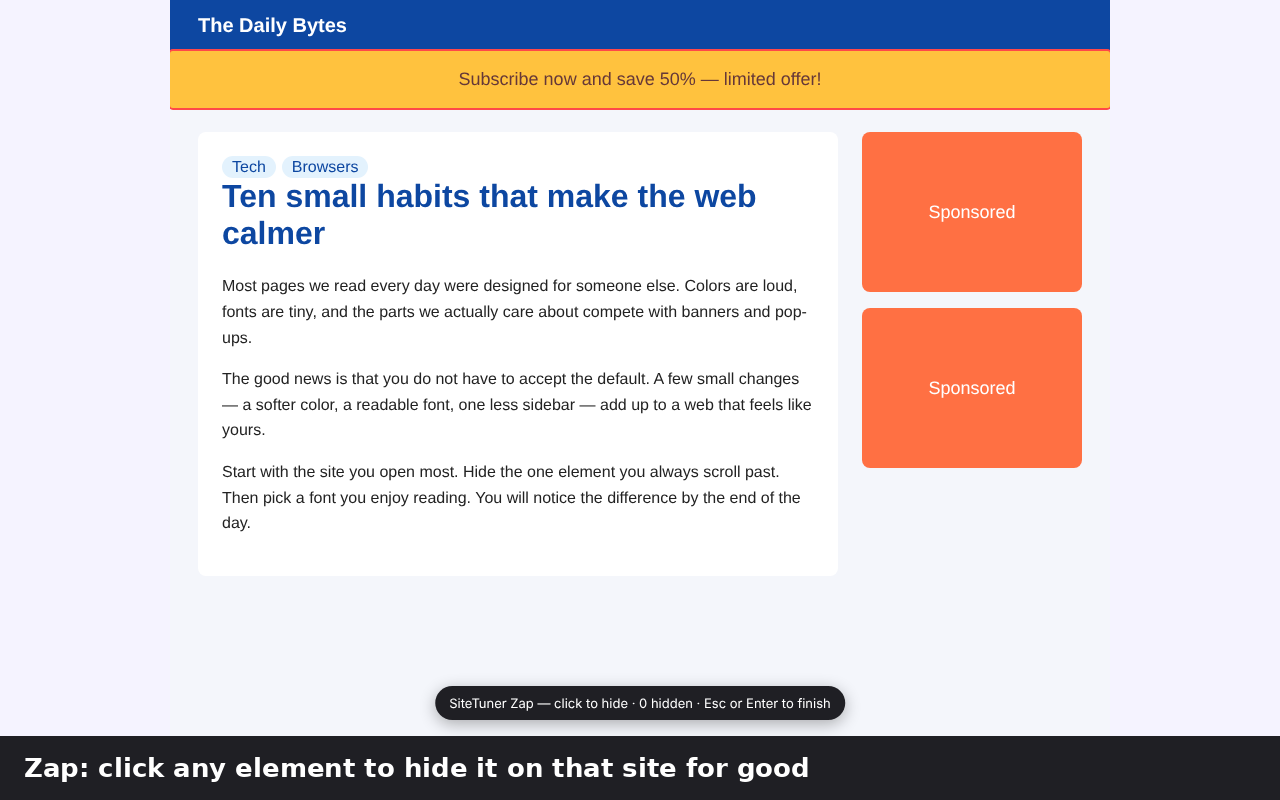
- Zap — click banners, sidebars or sticky bars to hide them on that site for good. Bring any of them back from the popup.
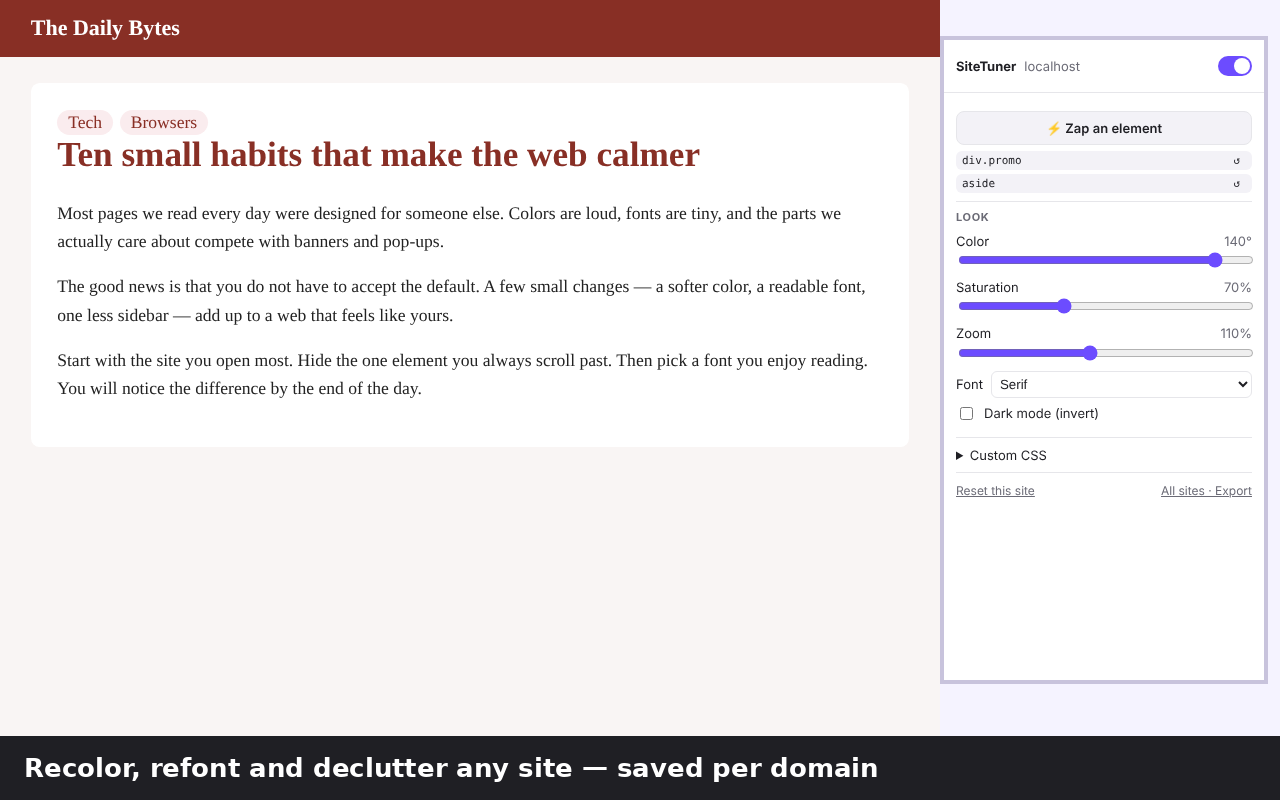
- Look — shift colors, change saturation and zoom, switch the font, or flip the site to dark mode. Photos and videos keep their natural colors.
- Custom CSS — write your own CSS for one site.
- All sites — see every site you changed, delete changes, and export or import everything as JSON.
How to use it
- Open the site you want to change and click the SiteTuner icon in the toolbar.
- Move the Color, Saturation and Zoom sliders, pick a Font, or tick Dark mode (invert). Changes show up immediately.
- To hide something, press ⚡ Zap an element, then click the parts of the page you want gone. Press Esc or Enter when you're done.
- Press Keep on <site> if you want your changes applied automatically every time you visit. Chrome will ask you to allow SiteTuner on that one site.
- Use Reset this site to undo everything for the current site, or All sites · Export to manage and back up all your sites.
Coming from Arc Boosts?
SiteTuner covers the everyday parts of Boosts: hiding elements, recoloring, changing fonts, and per-site CSS. A few differences to know:
- No custom JavaScript. SiteTuner applies CSS only. Running your own scripts in Chrome's Manifest V3 needs the
userScriptsAPI, which requires you to turn on Developer mode, so it is not included for now. - Boosts cannot be imported automatically. If you have CSS from a Boost, paste it into Custom CSS for the same site.
- Settings live in your browser. Use Export JSON on the All sites page to move them to another computer.
SiteTuner is an independent project by tanemaki and is not affiliated with The Browser Company or Arc.
FAQ & troubleshooting
- My changes disappear when I reload the page.
- Press Keep on <site> and allow access when Chrome asks. Without that permission, SiteTuner can only change the tab while you have the popup open.
- I zapped the wrong thing.
- Open the popup on that site — every hidden element is listed and can be brought back one by one. Reset this site removes all changes for the site.
- A zapped element came back after the site updated.
- Sites sometimes change their page structure. Zap the element again. If it keeps happening on one site, please tell us which site (see Support below).
- SiteTuner does nothing on some pages.
- Chrome does not let extensions change its own pages (such as
chrome://pages and the Chrome Web Store). - Does SiteTuner see or send my browsing data?
- No. Settings are stored only in your browser with
chrome.storage.local. There is no analytics or tracking. Details: privacy policy. - Is it free?
- Yes. A paid Pro version may be added later. If it is, payment would happen on ExtensionPay/Stripe pages and would be clearly marked before you pay.
Support
- Bug reports and ideas: GitHub Issues
- Email: bysk.333@gmail.com
Please include the site's address and your Chrome version when reporting a problem.
Last updated: November 10, 2026